Showing posts with label buying guide. Show all posts

Thursday, August 13, 2015

Finding the Right Privacy Filter Just Got Easier

Work happens everywhere nowadays. We're not just getting things done on a desktop computer in the privacy of our own offices. We're in open office environments with nosy co-workers walking by. We're on laptops in coffeehouses, parks, or trains. We're on smartphones and tablets pretty much everywhere. What we do on these devices is still as personal and sensitive as it has always been, maybe moreso with the rise in corporate and identity theft. At the same time, it's increasingly likely that the wrong people will be able to see what we have on our screens.

Privacy filters have been around for a while and the technology hasn't changed much. They've been simplified and streamlined down to fit LCD monitors, laptops, tablets, and smartphones, but it's still the same concept. The filter keeps the screen clear to someone directly in front of it, but anyone at an angle only sees black.


They're available for screens of all sizes, no matter how old. That leads to the biggest reservation people have when shopping for privacy filters- finding the one that fits their screen. Not everybody knows the right way to measure a screen, or factor in ratios, frames, and tabs to the equation.

First off- diagonally. Every screen from the old clunky CRT to the tiniest smartphone is measured corner-to-corner starting and ending at the part that actually emits an image. The frame doesn't count, and the horizontal/vertical measurements don't help unless you feel like applying Pythagorean theorem.

There is now a simpler way to do it. Presenting our Privacy Filter Finder!


We've worked with 3M to provide the easiest way to find the right privacy filter for your device. This will provide a listing of all compatible 3M privacy filters and screen protectors with minimal input. If you'd like, you can still enter the screen size and ratio for your LCD monitor, laptop or Chromebook. Or you can enter the model of your device (including tablets and smartphones) to instantly return all the right filters. When it's this easy, there's no reason not to ensure the safety of the information of your screen and keep it away from prying eyes.

Thursday, May 29, 2014

Glass Dry Erase Boards

As functional and necessary as the dry erase board is to the office and the school, it does have aesthetic limitations. Whether the board is melamine or porcelain, it's a big wall of white surrounded by a wood or metal frame. There are only so many ways to dress that up. That might be why the new trend of glass dry erase boards is taking off.

For offices with an eye for style, glass dry erase boards are an attractive alternative to melamine or porcelain. Glass boards are frameless- one smooth piece of glass with mounts embedded into the corners. Boards are either an opaque white or frosted to allow them to function as writing surfaces while retaining some transparency. The surfaces erase easily and are less likely to ghost than a melamine board


The Quartet Infinity Board here illustrates just how many benefits a glass marker board can have. The glass is tempered and hard to break. Marker trays are easy to attach for storing markers and erasers. The Infinity, among other glass boards, can be ordered with undated calendars printed on them for easy planning. Most importantly, many glass boards are also magnetic, allowing them to double as bulletin boards and notification centers.

For more information and product links to other glass dry erase boards, check out our buying guide.

Friday, March 28, 2014

Getting Lamination Under Wraps

Look around at all the papers you've got on and overlooking your desk. How about the entire office, like something on a billboard or crucial information resigned to a Post-It note? Some of that's important, right? Shouldn't there be more care taken to preserve this information, at least to showcase it and announce that yes, this is significant? It's the sort of thing begging to be laminated.

A laminator is one of those pieces of equipment around the office that everybody is aware of, but rarely gets used to its full potential. Part of the issue is that until you actually sit down and use a laminating machine, the concept of permanently encasing something in plastic seems expensive, time-consuming and complicated. None of these are true.


There are three types of laminators-hot, cool and roll. Hot and cool laminators have the same external mechanics, where you insert the item to be laminated into a special pre-sized pouch and insert the pouch into the machine. That's it. Hot laminators use a thermal adhesive and typically create the strongest bond, while cold laminators use a pressure-sensitive adhesive and are recommended when the contents being laminated might melt or bleed in high temperatures (such as ink). Some machines even allow you to choose between hot and cool lamination.

The only choice to make is the thickness of your laminating pouch. Pouches are available in different thicknesses (measured in mil) and, depending on the maximum thickness your laminator will allow, you can choose how bendy or rigid you want the finished prouct to be.


With roll laminators, you don't need pouches as the film is already loaded in the machines. With many of these, documents are loaded in and cranked manually, making it a little trickier to get a perfect, smooth lamination. The advantages are that, like the cool laminator, there's no risk of melting ink and since there are no pouches to worry about, you can laminate longer items like banners.

Monday, July 1, 2013

The Whiteboard For You

The dry erase board has become such a permanent fixture in conference rooms, schools and the doors of every college dorm room that not much thought is given to it. They're so commonplace that it's hard to remember that they only gained popularity about twenty years ago. That's not a long time in the office supply world; the Post-It note has been around for 35 years and we still think they're magic.


Try to Imagine This Wall Without the Whiteboard

However, with such ubiquity often comes a lack of responsibility. A whiteboard is more complex than just a glossy surface and “does it fit the space” should only be the first question asked. How often will the board be used? Will it be used for presenting or planning and organization? Does it need a tray to store markers and erasers? The answers to these help determine the type of board you're looking for, and this page will help you find it.

One of the biggest problems to contend with is ghosting, which leaves marker stains that are difficult to erase. This is a result of ink getting soaked into the board's melamine surface. Melamine boards are the cheapest type of whiteboard, and while they work well for light use like a workspace or breakroom, more important functions require something better.


For boards that will receive heavy use such as schools and conference rooms, consider a porcelain board. Porcelain isn't porous like melamine, so the surface is smooth, durable and will not stain. Furthermore, porcelain whiteboards are magnetic, allowing you to use magnets to create a full planning center.

If you aren't sure which board is the best fit for you, you're in luck! Now you can get free return shipping on all Quartet whiteboards. This way you won't have to worry about looking for the right dry erase board before you try it out. If it doesn't work for you, you can return it for free!

Monday, April 29, 2013

A Stand For Workplace Health

It's not news that we as a country are getting less healthy. Obesity is on the rise, owing in part to a more sedentary lifestyle. Quite simply, we're not active enough and it's affecting our health. Exercise and proper diet can help, of course, but a new approach to office work is attacking the problem by cutting down on an unhealthy activity that has become essential to many jobs- sitting.

Sitting for long stretches slows metabolism and leaves people at risk for heart disease, diabetes and other life-shortening ailments. Unfortunately, that's just what many of us have to do everyday at our jobs. While proper posture and an ergonomically friendly desk will cut down on eyestrain, back pain and wrist injuries, it doesn't reduce the risk of long-term problems. As a result of these studies, one of the latest office trends is installing workstations that reduce or eliminate sitting entirely.


Ergonomics are still in play, of course. The keyboard should remain at elbow level, the top of the monitor should be just below your eyes and at an angle, and try not to slouch. This buying guide will help sort out different options for standing desks. In particular, how to tackle the obvious fatigue problem. Standing all day will wear you out, so having a stool or a surface to do some sitting work is important.

Even if you're not ready to make the jump to a standing workstation, there are routines you can get into that promote good health. Stand up and walk around every twenty minutes. Add more walking by parking farther away and taking stairs instead of the elevator. The site Compliance & Safety has a graphic with several exercises you can do while at work. Doing these is not only a break from sitting, they also stretch out various muscles.


Now that the weather's getting warmer, another healthy tip is to bike or walk to work if you live close enough to your job.

Friday, March 29, 2013

Simplifying Filing

The hardest part in having a proper, functioning filing system is developing the groundwork. It's easy enough to conceive a system, but unless it is ideal for your office and without the right supplies and storage options, it won't work. A good system not only gets the job done, it is simple, logical and effortless enough that you'll stick with it. The first step is making sure the right folders are in the right place every time.

The first thing to determine is how often files need to be retrieved. This can help determine whether an end tab or top tab system is right for you. Either way, this guide can help you find the folders you need. End tab filing systems stack on a shelf along the wall, making both the folders and their labels readily visible for everybody to access. These are perfect for reception areas, particularly at clinics or offices where all employees need to pull client files quickly.

Files that aren't recalled as often should go into hanging file systems. These are top tab folders that hang on rails built into most cabinets and pedestal files. Files meant for one employee or a household should go into a pedestal file that fits under the desk (frames are available for drawers without rails). General company files that everybody may need access to or that accumulate over time should go into a central filing cabinet.


Vertical filing cabinets take up less space but are harder to retrieve files- use these for archives that won't need to be recalled often. Since lateral files keep all files closer to the floor and are filed from side to side, they are easier to retrieve and should be used with items that are more likely to be needed again. While large stacks in a single folder may defeat the purpose of organizing papers, use box bottom folders when it's necessary. Box Bottom folders are reinforced at the bottom and will support more weight.

Files that a single user will refer to frequently shouldn't be stuffed into a cabinet at all, but that doesn't mean they can't be organized. Desktop file sorters or frames keep top-tab folders straight on the desk. Using hanging files here will make it even easier if these folders will eventually find their way into a cabinet.


With any of these options, labels are vital. Find hanging file folders that include tabs and inserts to keep them properly identified, while both top-tab and end-tab systems can benefit from color coded labels that make the right type of file easy to spot.

Friday, March 8, 2013

Shredders Simplified

For businesses of any size, shredding is a hassle. Every company has discarded information that needs to remain confidential, but the legal mandates for maintaining privacy are so strict that we grow to resent the need to render documents “unrecognizable or beyond reconstruction.” It leaves us wondering who's rooting through our trash and if our current shredding work is enough to guard against someone with enough free time and plenty of Scotch tape. There's time to spare for such paranoia, as feeding papers into a shredder is far more dull than anything involving loud, destructive machinery has any right to be.

It is, however, a vital part of business and must be given proper consideration. The problem isn't that shredding is necessary. Companies open themselves up to identity theft, lawsuits and corporate espionage when the job isn't done. The problem is that failing to properly address a company's unique shredding needs is a waste of time and money. For example, one popular and easy solution is off-site shredding, where another company picks up your documents and shreds them for you. Not only can that be expensive, how secure can you really feel when something that you are responsible for destroying leaves your offices intact? If anything goes wrong, you're still on the hook for it.

Shredding documents internally offers peace of mind and is more affordable, but only if the shredders you purchase are suited for your needs. An insufficient shredder means that employees will spend far too much time feeding papers, emptying bins and dealing with jams. A low-end model that can be tossed under a desk for an individual to use isn't going to cover an entire department.


This buying guide helps you find the shredder that offers not only the right level of security for your business, but also the number of sheets that can be shred at a time. For a cross-cut shredder, units that can accept 10 sheets are fine for individual desks and households, 12-14 sheets are recommended for small offices, while larger offices and departments should use shredders that can handle 20-30 sheets at a time. Micro-cut shredders, which create very small particles and may be required for destroying extremely sensitive information, accept fewer sheets per pass.


To really save on labor, consider Swingline's Stack and Shred model, where up to 100 sheets can be inserted into the machine, which will lock them inside and shred them while an employee can go back to work. Other innovative options that may appeal to you are the strong high capacity shredders from Martin Yale's Intimus line, the jam prevention features developed by Fellowes, and the GoEcoLife series of shredders that are both functional and environmentally friendly.

Friday, February 15, 2013

Winter Weather Advisory

We're right in the midst of winter right now, and offices in colder regions have a lot to contend with. Snowstorms can make it difficult for both employees and customers to arrive. Businesses need a proper policy on closures, working with a reduced staff and making sure slow days are accounted for and workers stay safe. Any sort of precipitation brings unwanted snow, water and dirt into the office, which can be a mess to clean up. A proper system of outdoor and indoor mats can reduce dirt and save floors. Finally, cold weather means jackets for everybody, which requires storage space that should be incorporated into the room's design rather than a seasonal eyesore.

Since weather events are inevitable, policies should be set in advance to cover them. This guide outlines some of the basic questions to answer in this policy, and additional factors such as parents dealing with school closures and the prospect of working from home should be considered.

However, just because a blizzard doesn't happen every day doesn't make snow, rain and cold temperatures any less routine. The wetter and dirtier the natural elements are, the more likely it is that they will be tracked into your office. Without proper floor mats, it's estimated that a thousand people over twenty days can track 24 pounds of dirt. It only takes 1,500 people to strip away almost half of a floor's finish in that time.


The solution involves the proper use of both outdoor and indoor mats, both spanning the width of your entrance. Outdoor mats do the bulk of the work, scraping shoes to take care of the dirt. These mats are usually rubber or polypropylene surfaces with a reservoir underneath to hold dirt and water. Indoor mats use polypropylene, nylon or olefin fibers to wipe the shoes off, giving them one last clean and drying them properly before they enter the office.

For a better way to give employees a place to put their coats, consider whether you use a central area, an enclosed closet, or if each person hangs coats near his or her own workstation. Central areas use coat trees or garment racks, which should be part of the room's décor. Wet climates will also want one with an umbrella holder. An alternative is a wall rack that can fit somewhere out of the way. Employees hanging coats up in their office will need a hook for their wall or cubicle, which again can be incorporated into the room.


Check out our buying guide to see our full selection of racks, hooks and hangers.

Friday, January 11, 2013

A Binder Breakdown

A new year is upon us, and companies around the country have visions of good fortunes in 2013. As we look ahead towards good times, we recognize all the hard work in store for everybody. For many, that means preparing presentations, training new employees, and filing away 2012. Three very different tasks, but what's one thing they have in common? If you said that they all commonly rely on binders, well done for reading the title of this post.


Think about that for a moment- one job involves impressing clients, one involves making a lot of information easily accessible and one involves indexing records that may or may not ever be seen again. Yes, one office supply can bind them all, but why use the same binder for several jobs when different kinds of binders are better suited for each of these tasks?

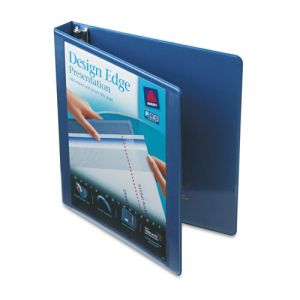
The most basic type of binder is the reference binder. They don't have much style (barring a few exceptions), but they are inexpensive and available in several colors. They're perfect for internal use such as company handbooks, procedures, job training, troubleshooting and any other records that are frequently viewed and updated. Storage binders are the big uglies of filing. These are designed to hold large quantities, often using gapless or slant rings, and are built to hold for years in a drawer or on a shelf. Some are designed to hang from filing cabinets, similar to hanging file folders. Data binders and post binders store computer printouts, larger sheet sizes and even more pages.


Presentations and reports have a completely different set of criteria. Presentation binders are all about combining affordability in large quantities with creating a positive impression even before it's opened, which means a clear cover to allow you to insert a title sheet and/or a spine insert. Binders are also available in a smaller capacity such as 1/2” rings. The tradeoff is that presentation binders are commonly built for short-term usage, meaning they aren't suited for storage or frequent reference.


Alternatives to traditional binders include flexible binders made of clear plastic and easel binders that fold into easels to add an instant visual element to your presentations. For help finding the perfect binder for you, this binder buying guide will help sort products by size and ring type.

Thursday, December 13, 2012

A Planner For 2013

We're all pretty pre-occupied with the holidays right about now, but don't forget that the new year is looming on the horizon. 2012 is just about in the books already, and that means you need to think about 2013. Once the ball drops, your life resumes as usual, and that means you'll still need to keep track of it. You don't want to flip your calendar on January 1 only to find a chipboard backing or a friendly reminder to buy a replacement. You need to be ready!


If you already have a planner and just need to refill it, consider this that friendly reminder in advance. Manufacturers stop making new appointment book refills for a given year soon after that year begins. It's important to make sure you're taken care of for 2013. For those looking for a new planner or calendar, there are several things to think about before purchasing.

The first thing to determine is whether you want a calendar, appointment book, or organizer. Calendars tend to be stationary, sitting on your desk or mounted to the wall. Appointment books and organizers are both designed to be carried around, with organizers including additional features like a zipper enclosure, address book, scratch pad, pocket, business card slot or even a calculator. Organizers are also more likely to be refillable than appointment books.

The next thing to think about is how detailed your schedule needs to be. If you plan your day in fifteen minute increments, or need to add additional information to hourly appointments, buy a daily appointment book or desk calendar. Weekly planners still allow some space to list daily appointments and are considerably less expensive. Monthly planners only give you a small box per day, but allow you to view a whole month at a time.

That's the third thing to consider: do you take things day by day or do you like to have the whole week or month in front of you? If you've opted for a calendar, going daily gives you the satisfaction of tearing off or turning a page every day, while a desk pad livens up a workstation, giving you space to plan every day while viewing an entire month at a time.